December 21, 2025
After my regular levels of research, I picked up a Zoom F3. The F3 is a tiny recoder that captures audio at high quality 32-bit float resolution with sample rates from 44.1kHz all the way up to an impressive 192kHz.
I picked it up because it is tiny, portable, powered by two AA batteries or USB-C from a wall wart adapter or external battery from Walmart for $10 that can power it for 10+ hours per charge (the F3 is very frugal with battery power!). It can record to a MicroSD card of up to 1TB, communicate via line out or USB as an audio interface.
Because of these traits, it makes for some very interesting setups, and that is the focus of this post, to take a look at the different ways that I, as a musician, may take advantage of this tool in the best ways possible.
An interesting point, the preamps on the F3 are the same ones that come on the Zoom F4, F6 and F8n Pro, so that means high gain (around 75db!), low noise, even if the F3 has no gain knob but rather 11 amplification settings. So that means that one doesn’t need to touch these normally and adjust in post, however, it is always a good idea to get it close… so a general “set it and forget it” is the rule of the day. Indeed, if it goes a small amount above zero, that is a good thing, it is a way to actually lower the noise floor slightly from -127dB to as low as -131dB (a nice and free trick!) because if you are slightly over and lower the gain in post, the noise floor drops slightly as a side benefit.
Note: Having a 32-bit recorder is NOT an excuse for bad mic placement. All that means is that your recordings will SUCK if you don’t learn where to properly place your microphones, what it does do is give you some latitude for poor gain staging, so too low or too high means you can get away with being lazy about that.
Setup #1: Zoom F3 as a stand-alone recorder
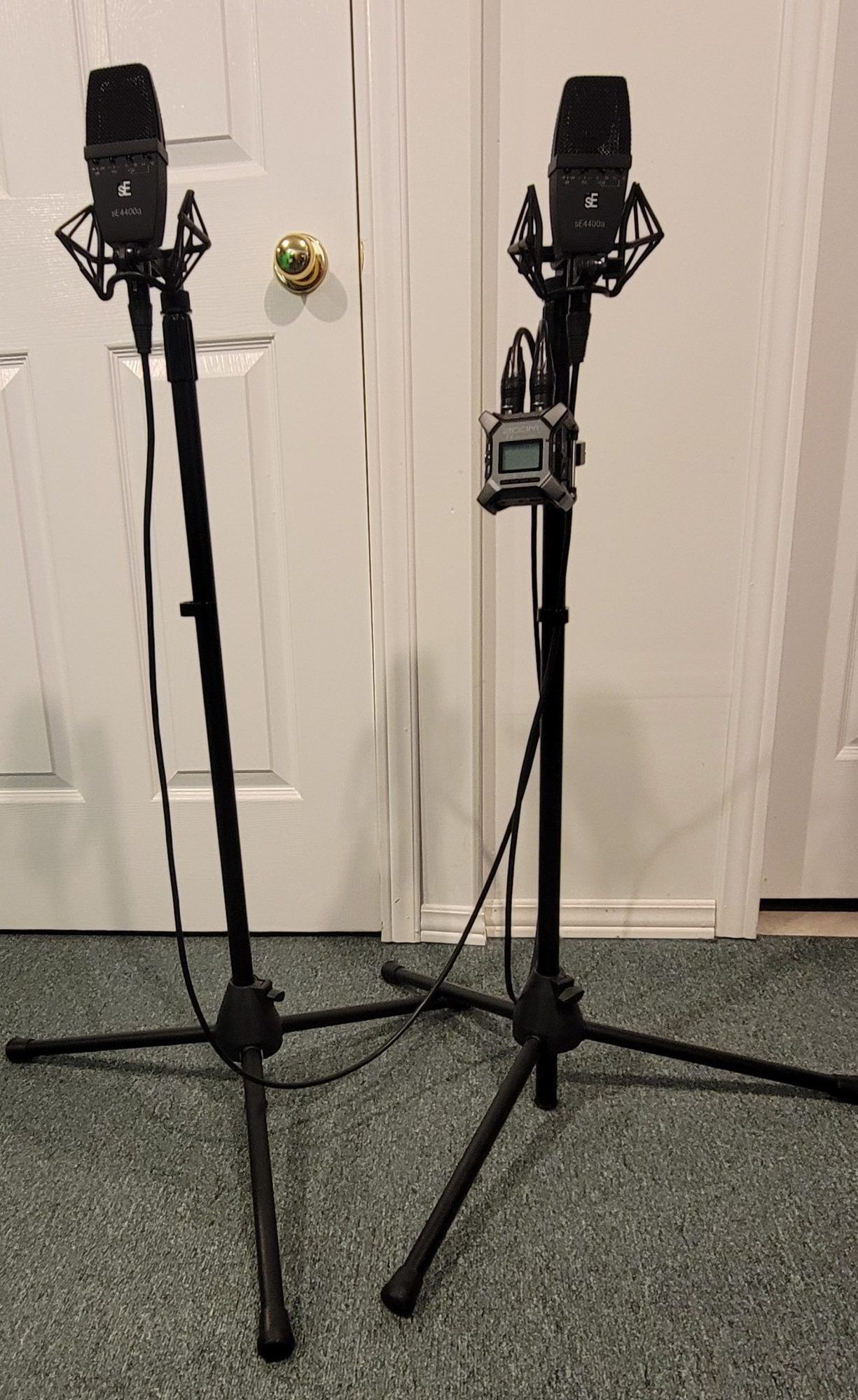
A super simple setup. The F3 is powered by rechargeable AA batteries and using a $6 superclamp, attached to one music stand, both mics are attached to it, set them apart, come in close… hit record on the F3 or in the Bluetooth F3 Zoom app… and play!
Setup#2: Zoom F3 & Cellphone camera
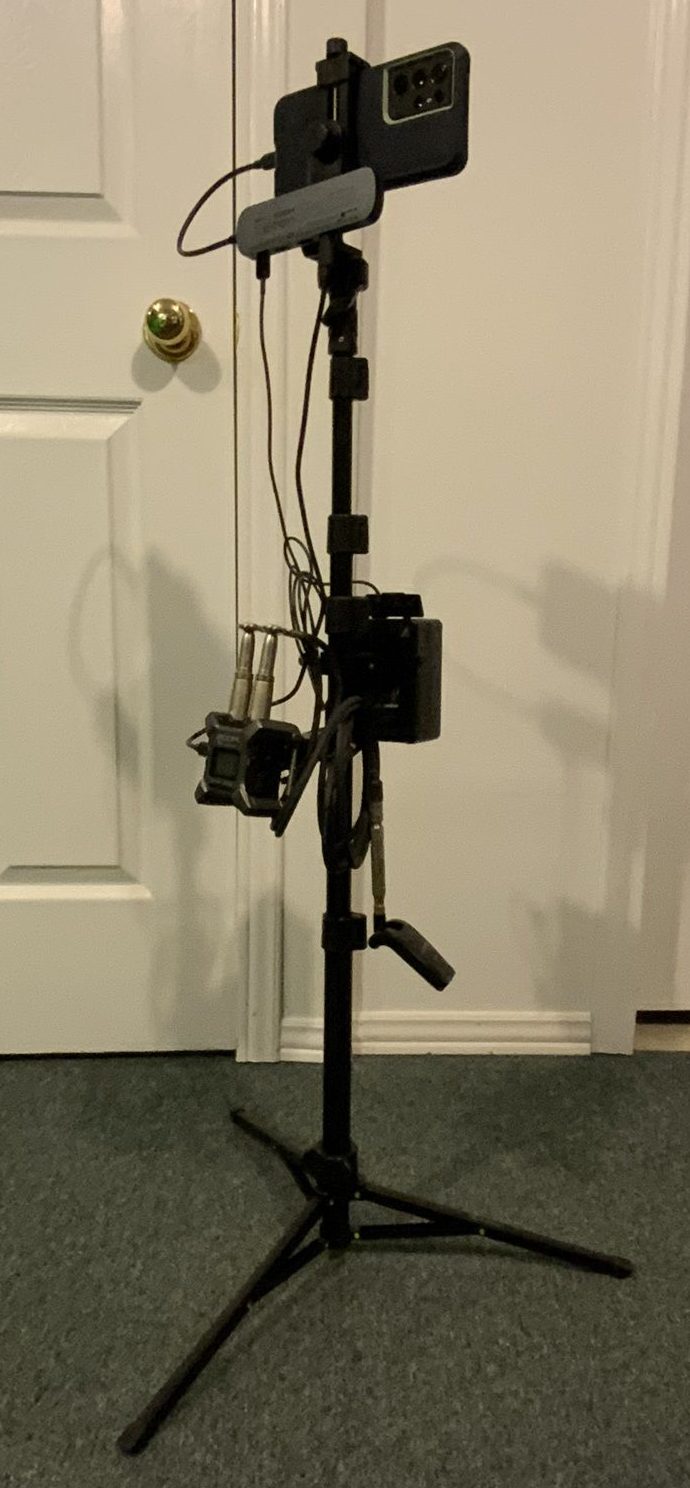
Want to add some “fair but not great quality” video? Use a $20 camera stand, attach the cellphone. Using that $6 mini super clamp, attach the F3 to it and then attach the super clamp to the stand. Connect F3 to camera via USB cable, and done!
Want a more cooler complex setup? Do the above but add a small USB hub! Now add a V-mount battery and a wireless transceivers. You may now, plop down the stand ANYWHERE, and as long as you are within 100 feet, your audio gets saved to the F3 and straight on to the audio track of the cellphone at the same time you capture your video. The V-Mount battery lets you play for an easy 15-20 hours and charges both the cellphone and the F3 at the same time. The Ultimate vacation setup!
Setup #3: Zoom F3 and 7th gen iPad
Take the above and swap out the cellphone with an iPad. My iPad is the PRO version and with the Black Magic Camera app, I can get Open gate and a high quality CODEC.
Setup #4: Zoom F3 & Sony Handycam
Swap out the iPad from above, replace it with a Sony Handycam. Now, it has no USB input, so we use the analog output of the F3 into the stereo mic inputs of the Sony. Three things to do here for best sound… lower the volume of the MIC preamps on the Handycam camera to 2 or 3 clicks up from zero, turn off all automatic gain control and increase the volume of the Zoom F3 output so that the meters peak to about -12dB on the Handycam camera screen. The big tip: In this mode, the F3 can record in 32-bit float at high resolutions and you take this audio and replace it in post with the higher quality audio before exporting… or not, as you will have good quality audio on the camera, but it will not be 32-bit float.
Setup #5: Zoom F3 and Lumix GH5/GH7
Replace the Sony Handycam with the much higher video capture quality and keep the same setup, this means that you now get ultimate quality video and the best possible audio. HINT: The GH7 has an adapter, the DMW-XLR2, it can automatically capture 32-bit float files and you don’t even need the F3. So, with this adapter, you can go up to 2 channels at 96kHz or 4 channels at 48kHz both at 32-bit. That said, however, the ultimate quality of the files is not as high as the files put out by the F3.